You talked to ChatGPT and got back something that sounded like a generic encyclopedia entry. Or it gave you a list that was way too broad, or maybe it completely ignored half your instructions. That is not a broken AI. That is a prompt that needed work.
The difference between a so-so answer and a genuinely helpful one often comes down to a handful of mistakes that beginners and even intermediate users make over and over. Once you see these patterns, you will stop fighting with the model and start getting what you actually want.
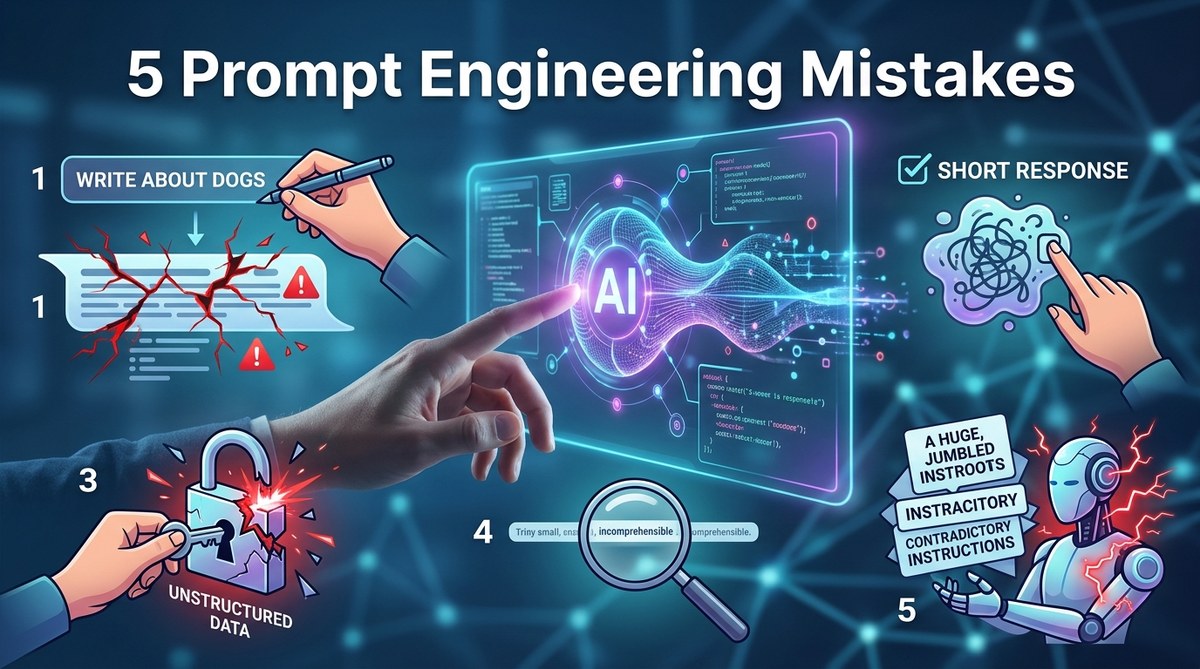
Most prompt engineering mistakes come from treating ChatGPT like a mind reader rather than a powerful but literal tool. By being specific, setting a role, asking for one task at a time, telling it the exact output format you want, and refusing to settle for the first draft, you can turn frustrating sessions into reliable workflows. The five fixes in this article will save you time and dramatically improve your results.
The Vague Prompt Trap
You type something like “Write about renewable energy” and the model spits out a five-hundred-word essay that sounds like a textbook from 2010. That is not helpful because the prompt was not clear about what angle, audience, length, or tone you needed.
Think of it this way: if you walked up to a stranger and said “Tell me about cars,” they would not know if you wanted engine specs, safety ratings, history, or the best road trips. ChatGPT is the same. It has to guess your intent, and guessing leads to generic output.
The fix: Add at least two specific constraints. For example, instead of “Write about renewable energy,” try “Write a four-hundred-word blog post for homeowners explaining the cost savings of installing solar panels in 2026, using a friendly and practical tone.”
When you give the model a clear audience, a purpose, and a format, the quality jumps. Consider this your first building block for mastering prompt engineering for AI success. Without specificity, you are just throwing words into a void.
Ignoring Role and Context Instructions
A lot of people skip one of the most powerful moves you can make: telling the AI who it is. If you do not give it a role, it defaults to a neutral, cautious assistant. That is fine for basic questions, but it kills creativity and authority.
For instance, if you need a marketing email, do not just ask for a draft. Say “You are a senior copywriter at a tech startup. Write a 150-word cold email to a marketing director at a mid-sized company, pitching our new analytics tool. Keep the tone confident but not pushy, and include a clear call to action.”
When you set a role, the model adjusts its vocabulary, perspective, and detail level. It stops being a bland answer machine and becomes a specialist.
Why this works: The AI has been trained on huge amounts of text that include different voices. By giving it a persona, you are narrowing the search space to the most relevant patterns.
I often see people forget context too. If you are working on a multi-step project, keep a running conversation in the same thread. The model remembers previous messages and uses them as context. That is far more efficient than starting over each time. For deeper tips on building context, read about how to leverage prompt engineering for maximum AI efficiency.
Asking Multiple Tasks in One Prompt
This is one of the most common prompt engineering mistakes, and it wrecks output quality more than anything else. You bundle three questions, two formatting requests, and a style note into one sentence. The model tries to handle everything at once and ends up forgetting or mixing things up.
Here is a real example of what not to do:
“Write a blog post about gardening tips for beginners, and also list the top five tools they should buy, and then write a short poem about tomatoes, and make sure the tone is funny.”
The result is a mess. Part of it will be gardening advice, part will be a weird poem, and the tone will jump around.
The better approach: Break the work into separate prompts. First ask for the blog post. Then in a new message (or a follow up in the same thread) ask for the tool list. Then ask for the poem. Each prompt has one clear job.
If you must combine, use a structured format like a numbered list of requests, but even then, keep it to two related items at most.
I personally use this rule: one prompt equals one output unit. If I need a table, I ask for the table. If I need an explanation, I ask for that after. This small discipline eliminates half the fluff in GPT responses. For a complete system, check out our guide on top techniques to improve your prompt engineering skills.
Not Specifying the Output Format You Want
ChatGPT defaults to paragraphs and bullet points. That might work for some tasks, but what if you need a table, a JSON object, a CSV, a list with emojis, or something else? If you do not name the format, you get what the model guesses.
This mistake is especially painful when you are using GPT for data or automation. You ask for “a comparison of electric SUVs in 2026” and get a paragraph. You wanted a table with columns for range, price, and charging speed. The fix is simple: tell it the format up front.
Bad example: “Compare electric SUVs.”
Good example: “Create a table comparing the top 5 electric SUVs available in the US in 2026. Columns: Model, Base Price, Range (miles), 0 to 60 time, and Cargo Space. Use a friendly tone.”
You can even specify things like “use bold for the model name” or “include a short summary row at the bottom.” The model follows explicit instructions when they are clear.
If you are working on something technical, like building a prompt for a script, you might want the output in Markdown or JSON. That is perfectly fine. Just say so. The model is incredibly obedient when you tell it exactly how to present the answer.
This principle also applies to negative instructions. You can say “Do not use jargon” or “Avoid technical terms.” Sometimes telling the AI what to skip is as important as telling it what to include. For more advanced control, see innovative prompt strategies to accelerate AI development.
Giving Up After the First Result
Most people treat ChatGPT like a one-shot oracle. They type a prompt, get a response, and either accept it or get frustrated. The best users know that prompting is an iterative process. The first answer is rarely the best.
Think of it like working with a junior assistant. You give instructions, they produce a draft, you give feedback, they revise. That loop is where the magic happens.
Here is a practical six-step process to refine any response:
- Write your initial prompt with as much detail as you can.
- Read the output and note what is missing, wrong, or poorly worded.
- In the same chat, type “That is a good start, but can you make the tone more casual and add a specific example about remote work?”
- Review the second version. If needed, add another refinement like “Shorten the first paragraph and move the example to the middle.”
- When it is close, ask for a final polish: “Now make sure each sentence is under 20 words and remove any passive voice.”
- Save the best version and the successful prompt for reuse.
That iterative approach works because the model builds on the previous context. It does not start over from scratch. It adjusts.
“The difference between an average and an excellent AI output is almost always the number of revision rounds you are willing to do. One prompt is rarely enough. Two or three are common. Four or five can turn a draft into a polished piece.” — A practical observation from years of prompt engineering.
A lot of users skip this step and then complain the AI is dumb. It is not dumb. It just needs a little direction.
Below is a table that summarizes the five mistakes and their fixes.
| Mistake | Typical Bad Prompt | Better Prompt |
|---|---|---|
| Vague request | “Tell me about climate change” | “Write a 300-word explanation of climate change for a high school student, focusing on three main causes and one realistic solution.” |
| No role or context | “Draft a LinkedIn post” | “You are a career coach. Write a LinkedIn post for a mid-level manager who just got promoted, with a humble tone and a call to action for connections to share their own tips.” |
| Multiple tasks in one | “Explain quantum computing and list top books and write a Python script” | Prompt 1: “Explain quantum computing in three paragraphs for a college student.” Prompt 2: “List five beginner books on quantum computing with a one-line summary each.” Prompt 3: “Write a Python script that simulates a simple quantum gate.” |
| No format specified | “Compare the iPhone 16 and Samsung Galaxy S25” | “Create a table comparing iPhone 16 and Samsung Galaxy S25. Columns: Screen Size, Battery Life, Camera Specs, Starting Price, and Unique Feature. Use plain text.” |
| Stopping after first try | “Write a product description for a coffee maker” | First ask for a description, then say “Make it sound like it was written by a barista with 10 years of experience. Add two customer testimonial quotes at the end.” |
How to Turn These Mistake Fixes Into a Daily Habit
You do not need to memorize a hundred rules. Just keep a mental checklist: be specific, give a role, ask for one thing at a time, name the format, and iterate. Run through those five points before you send any prompt. After a week, it becomes second nature.
When you start getting answers that actually match what you had in your head, you will wonder why you did not do it sooner. The model did not get smarter. You got clearer.
For even more advanced workflows, look into unlocking GPT power with advanced use cases. And if you want to see how these techniques apply to business problems, the article on unlocking business growth with GPT-driven customer support solutions shows how companies are using structured prompts at scale.
The next time you open ChatGPT, take fifteen extra seconds to write a better prompt. You will save hours of frustration. And then do it again for the next prompt. Before long, you will be the person your friends ask for AI advice.