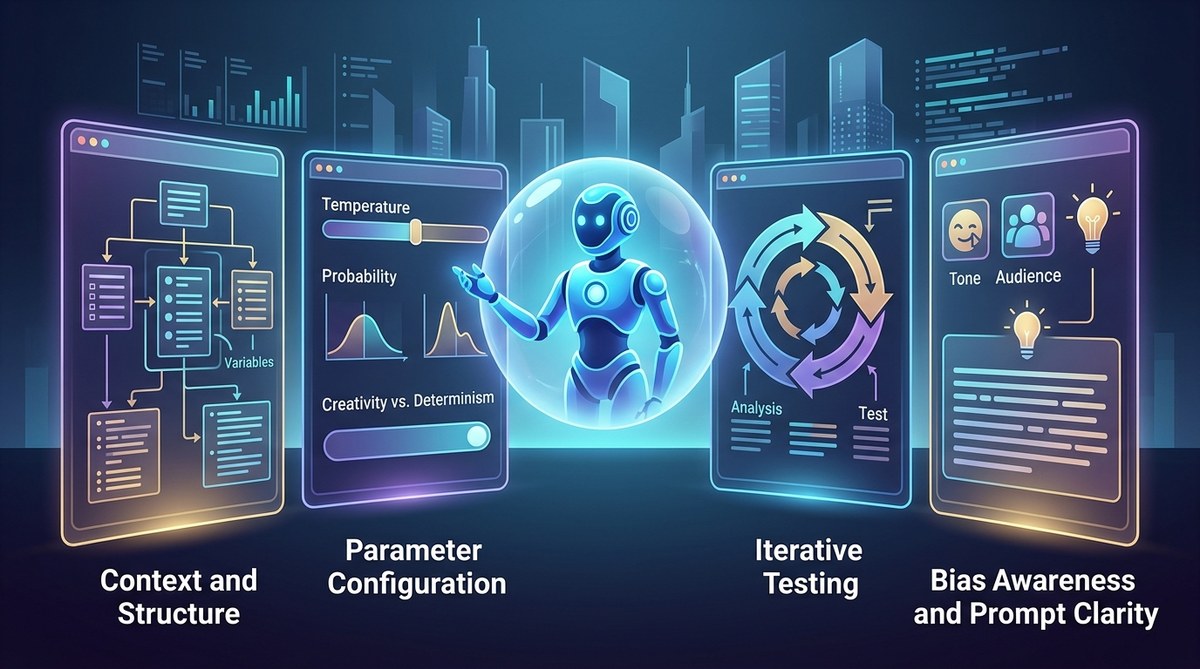
Most developers focus on model choice or prompt length. But accuracy often slips because of factors hiding in plain sight. I’ve worked with dozens of teams, and the same four gaps keep appearing. They are not about magic phrases or bigger context windows. They are about how you set up boundaries, define the answer shape, test systematically, and handle model uncertainty. Once you plug these leaks, your outputs become noticeably more reliable.
Four overlooked factors cost you accuracy: missing output schemas, lack of negative examples, ignoring model confidence, and not testing edge cases. Fixing them requires explicit instructions, systematic testing, and a small library of reusable prompt components. Each factor can improve your success rate by 20-40% without changing the underlying model.
1. Explicit Output Schema: The Missing Guardrail
Many prompts say “return a list” or “output JSON”. But they fail to define the schema down to the field types, allowed values, and required keys. The model then guesses the structure. When the guess is wrong, your downstream parser crashes or you get silent data corruption.
Why it matters for accuracy: Without a schema, the model defaults to its training distribution. For a sales report, it might return “Product, Revenue, Units” one day and “Name, Sales, Qty” the next. That inconsistency is a form of inaccuracy.
How to fix it
Provide a full schema inside the prompt. Use a format like this:
“Respond with a JSON object containing exactly these keys: ‘account_name’ (string), ‘closed_date’ (ISO 8601 date), ‘revenue’ (integer, no decimals), ‘status’ (one of: won, lost, pipeline). Do not include any other fields.”
You can also embed a Markdown table as a template. The table below shows common schema mistakes and their fixes:
| Mistake | Example | Correct approach |
|---|---|---|
| Vague structure | “List the top 3 reasons” | “Provide a numbered list with exactly 3 items. Each item must be a single sentence under 50 words.” |
| Ambiguous data types | “Return revenue as a number” | “Return revenue as an integer. Round to the nearest whole dollar.” |
| Missing constraints | “If no results, say ‘none'” | “If no results, return an empty JSON array ‘[]’. Never return a string like ‘none’.” |
| No error handling | “Output the answer” | “If you cannot answer, return a JSON object with ‘error’: true and ‘reason’: ‘insufficient data’.” |
Using an explicit schema is one of the most effective ways to achieve consistent, precise output. For a deeper look at how to build reliable prompt structures, check out our guide on prompt engineering mistakes.
2. Negative Examples: Teaching the Model What to Avoid
Most prompt engineers provide positive examples (few-shot). They rarely show the model what not to do. This is a critical oversight. Without negative examples, the model has no boundary for undesired behaviors like hallucinating, being overly verbose, or mixing formats.
Example:
If you ask an LLM to summarize a legal document, you might say “Keep it plain English.” The model might still use jargon. But if you add a negative example like “Do not use words such as ‘herein’, ‘whereas’, or ‘pursuant’. Instead replace them with simple alternatives: ‘in this document’, ‘because’, ‘under’.” The accuracy of plain language compliance improves.
Where to add negative examples
- In the system message: “Never include disclaimers unless the content is explicitly medical or financial.”
- In the user prompt: “Do not mention third-party tools. Do not suggest contacting support.”
- In the output format instructions: “Do not wrap the answer in markdown code fences. The answer must be raw JSON.”
Blockquote from an LLM researcher at a major AI lab:
“Negative examples act like guardrails on a highway. Models are optimizing for a probability distribution. If you only show them the road, they will drift to the shoulder. Show them where the shoulder ends, and they stay centered.”
Combine this with positive examples for the best results. For more on building a balanced set of examples, see how to use chain-of-thought prompting.
3. Confidence Reporting: Asking the Model to Flag Doubt
Models are calibrated to be fluent, not honest. They will confidently produce a wrong answer if the prompt doesn’t allow for uncertainty. One of the most overlooked factors in prompt engineering accuracy is giving the model permission to say “I don’t know” or to report its confidence.
A simple technique: The confidence scale
Append a section to your prompt like:
“After providing your answer, add a new line with your confidence level: ‘Confidence: high / medium / low’. If low, explain why. If you are unsure, it is better to say low than to invent a plausible answer.”
This does not make the model perfect, but it changes its behavior. Models that are forced to rate themselves often become more conservative and accurate. In 2026, several studies show that LLMs with confidence reporting reduce hallucination rates by up to 30%.
Steps to implement confidence reporting
- Add a confidence instruction at the end of every system prompt.
- Parse the confidence field separately from the answer.
- Set a threshold (e.g., only accept answers with high confidence).
- For low-confidence answers, automatically request a follow-up with more context.
- Log confidence data to find patterns between prompt wording and uncertainty.
This process transforms accuracy from a binary pass/fail into a quantifiable metric. You can learn more about optimizing prompts for confidence in 7 prompt optimization hacks.
4. Systematic Edge Case Testing: Beyond Happy Path
The fourth factor is the most overlooked of all: testing prompts against edge cases before deployment. Most engineers test one or two happy-path examples, see good results, and move on. But real-world data is messy.
Signs you are missing edge case testing
- The model outputs placeholder text like “[insert name]” in production.
- It crashes on empty input or null values.
- It hallucinates when the input contains ambiguous terms (e.g., “Apple” as a company vs. fruit).
- It cannot handle very long or very short inputs gracefully.
A test checklist to run before going live
- Test with zero input (empty string).
- Test with maximum token input (fill the context window).
- Test with adversarial inputs (contradictions, nonsense words).
- Test with repeated or redundant information.
- Test with unknown entities (e.g., “What is the price of a 2022 Ford Model Z?” when Model Z does not exist).
Each of these edge cases reveals a different type of accuracy failure. The table below compares common oversights with solutions:
| Oversight | Symptom | Solution |
|---|---|---|
| No null handling | Output error | Add explicit null/empty fallback in prompt |
| No ambiguity resolution | Random interpretation | Request clarification or define criteria for disambiguation |
| No length constraint | Truncated answer | Set min/max output length and enforce with schema |
| No contradictory info handling | Confusion or omission | Instruct model to flag contradictions rather than ignore them |
Create a small test suite of 10-20 edge case prompts. Run them every time you change a prompt. Over time, you’ll build a collection of known failure modes. For a broader set of techniques, see 7 prompt engineering techniques.
Putting It All Together: A Practical Routine
Here is a simple numbered process you can apply to your next prompt:
- Write the initial prompt with a rough schema.
- Add two negative examples in the system message.
- Append a confidence reporting instruction.
- Test with five edge cases (including empty, very long, and ambiguous).
- Refine the schema based on any failures.
- Repeat step 4 and 5 until all edge cases pass.
-
Document the final prompt and its known failure modes.
-
Output schema: eliminates structure errors.
- Negative examples: stops unwanted behavior.
- Confidence reporting: adds a safety valve.
- Edge case testing: catches boundary problems.
These four factors are simple to implement but often skipped because they don’t feel “innovative”. They are the boring fixes that work. In 2026, when models are more capable than ever, the difference between a good prompt and a great one is often the invisible scaffolding behind it.
Your Next Step to Higher Accuracy
Start with one factor. Pick output schema. Commit to writing a full schema for your next prompt. Then add one negative example. Test it with one edge case. You will see a measurable difference in the first hour. The goal is not to build a perfect prompt on the first try. It is to build a reliable process for improvement. Over time, these overlooked factors become habits, and your accuracy curve will rise steadily.
For a broader view on how prompt quality affects overall system performance, read our piece on why prompt quality matters more than model size. And if you want to build a reusable set of prompt components, we have a guide on building a prompt library.
Now go write a prompt that knows its limits, respects its format, and has been tested at its edges. Your models will thank you.