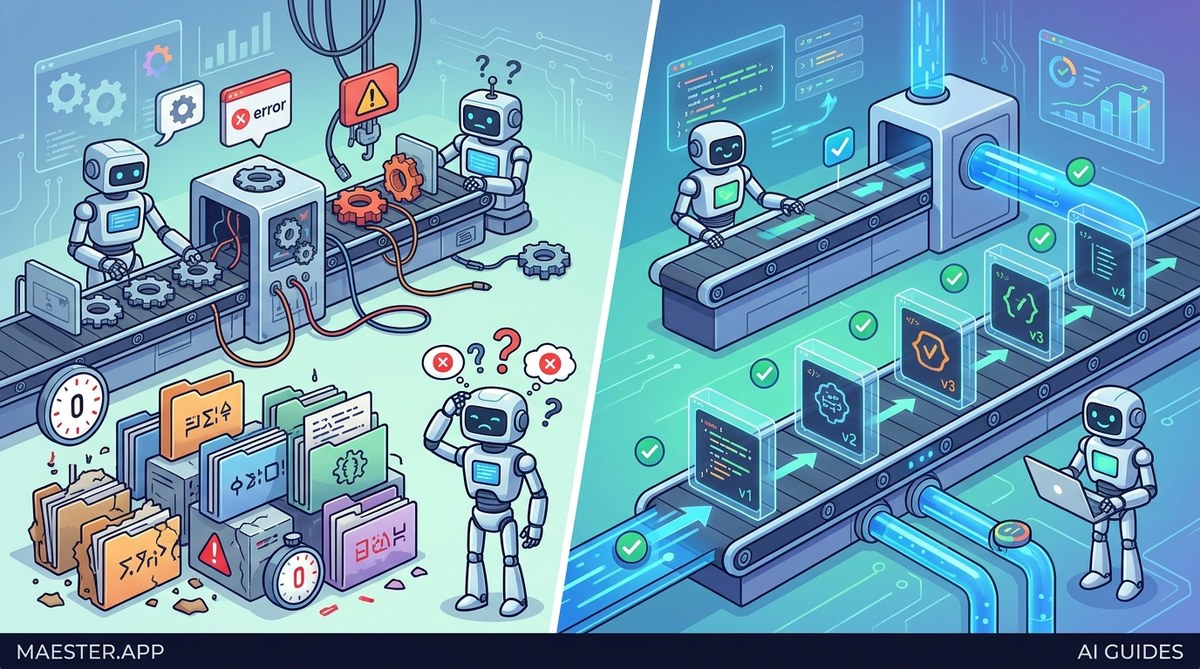
You are an AI/ML engineer, and you have been iterating on a prompt for three hours. You finally get an output that feels right. You copy it into your codebase, deploy, and move on. Two weeks later, a teammate asks why the model is suddenly generating responses that sound nothing like the original. You open the file and find five different versions of the same prompt with no timestamps, no labels, and no way to tell which one was in production. This is the moment your AI workflow stalls.
Without a prompt versioning system, you are not building. You are guessing. Every change becomes a gamble, and every team member becomes a potential source of drift. You lose the ability to reproduce results, compare experiments, or roll back when something breaks. In 2026, with models updating constantly and teams scaling fast, this is the single most overlooked bottleneck in AI development.
A prompt versioning system is the missing layer between prompt engineering and production AI. It gives you reproducibility, audit trails, and the ability to experiment without fear. Without it, your team wastes time debugging ghosts, fighting drift, and losing the gains from every hard-won optimization. This guide shows you exactly how to fix it.
What a Prompt Versioning System Actually Does
Think of it like Git for your prompts. But instead of tracking code changes, it tracks the exact text, parameters, model version, and context window you used for every single prompt. It records what changed, when it changed, and why. It also stores the output that resulted from that combination, so you can compare performance across versions.
A proper system does not just save your prompt. It saves the entire environment around it. That includes the temperature setting, the top-p value, the system message, the few-shot examples, and the model ID. When you version all of this together, you create a snapshot that is fully reproducible. You can go back to any point in time and get the exact same behavior from the model.
This is the difference between hoping your prompt works and knowing it works.
The Real Cost of Not Versioning Prompts
Let us look at what happens when you skip this step. It is not just an inconvenience. It is a direct hit to productivity and trust.
- Reproducibility failure. You cannot rerun an old experiment because you do not remember the exact prompt. This wastes hours of engineering time.
- Team confusion. Multiple people edit the same prompt without coordination. Nobody knows which version is live.
- No rollback path. A bad prompt gets deployed. You cannot undo it because you have no record of the previous state.
- Model drift goes undetected. The model provider updates the base model. Your prompt behaves differently, but you have no baseline to compare against.
- Audit gaps. In regulated industries, you need to show exactly what was sent to the model and why. Without versioning, you are flying blind.
Each of these problems compounds as your team grows. What starts as a small annoyance becomes a blocker that slows down every new feature.
How to Set Up a Prompt Versioning System in Three Steps
You do not need a complex platform to start. You need a process and a tool that enforces it. Here is a practical approach.
-
Choose a storage format that includes metadata. Do not just save the prompt text. Save it as a structured object with fields for version number, date, author, model, parameters, and a changelog note. You can use JSON, YAML, or a dedicated prompt management tool. The format matters less than the consistency.
-
Integrate versioning into your development workflow. Every time you update a prompt, the change should go through a review process just like code. Use a pull request or a similar approval step. Tag each prompt version with a semantic version number (v1.0, v1.1, v2.0) so you can track major and minor changes.
-
Automate the capture of outputs. When you test a prompt version, save the model response alongside it. This creates a historical record of what each version produced. Over time, you build a dataset that lets you measure improvement and catch regressions.
“A prompt is not a piece of text. It is a hypothesis about how a model will behave. Every version is a new experiment, and every experiment deserves a label.” – Sarah Chen, AI workflow engineer
Common Mistakes and How to Avoid Them
Even teams that try to version prompts often make errors that defeat the purpose. Here are the most frequent ones.
| Mistake | Why It Fails | The Fix |
|---|---|---|
| Versioning only the prompt text | The model or parameters change, making the prompt behave differently | Always include model ID, temperature, and top-p in the version record |
| Using manual filenames like prompt_final_v2 | No context on what changed or why | Write a changelog entry for every version |
| Storing versions in a shared drive | No conflict resolution, easy to overwrite | Use a dedicated tool or a Git-based system with locking |
| Only versioning prompts after they work | You lose the history of failed experiments that taught you what not to do | Version every prompt attempt, even the bad ones |
| Not linking versions to outputs | You cannot prove which version produced a specific result | Save the model response as part of the version record |
Each of these mistakes turns a versioning system into a false sense of security. Avoid them by treating prompt versioning with the same rigor you apply to code versioning.
When to Use Different Versioning Strategies
Not every prompt needs the same level of versioning. You can adjust based on the risk and frequency of change.
- Production prompts. These need full versioning with changelogs, approvals, and output snapshots. Every change must be traceable.
- Experimental prompts. Use lighter versioning. Save the prompt and parameters, but skip the formal approval step. You still need a way to roll back if an experiment goes into production accidentally.
- One-off tests. You can skip versioning entirely for prompts that will never be reused. But be honest about whether a prompt is truly one-off. Many teams think a prompt is temporary and later find themselves trying to recreate it.
Matching the strategy to the context keeps the process from becoming bureaucratic while still protecting your critical workflows.
Why 2026 Is the Year to Get This Right
The AI landscape has shifted. Models are updated more frequently. Teams are larger. Regulations around AI transparency are tightening. In 2026, a prompt versioning system is no longer a nice to have. It is a baseline requirement for any team that wants to ship reliable AI features.
Consider a scenario where your team uses a model that gets a silent update. Without versioning, you might not notice the change for weeks. By then, your users have seen inconsistent outputs, and your team has lost trust in the system. With versioning, you catch the drift immediately because your baseline outputs no longer match. You can decide whether to adjust the prompt or lock the model version.
This is the kind of control that separates professional AI workflows from hobby projects.
Building a Culture of Prompt Discipline
Tools alone will not save you. You need a team culture that values reproducibility. That means writing changelog entries that explain the reasoning behind a change. It means reviewing prompt updates with the same care as code reviews. It means celebrating when someone catches a regression early because they checked the version history.
Start small. Pick one production prompt and version it properly for a week. Show the team how much easier it is to debug when you have a clear record. Once they see the value, they will adopt it naturally. You can learn more about building these habits in our guide to mastering prompt engineering for AI success.
The Path from Chaos to Control
The difference between a stalled AI workflow and a smooth one often comes down to one thing: whether you can look at a prompt and know exactly what it did, when it did it, and why. A prompt versioning system gives you that power. It turns your prompts from fragile artifacts into reliable building blocks.
Start today. Pick one prompt that matters. Save it with a version number, the model name, and the parameters. Run it and save the output. Then make one small change and save that as a new version. You have just taken the first step toward AI workflows that do not stall.
If you want to go deeper, check out our guide on how to build a prompt testing framework that cuts errors by 80%. It pairs perfectly with versioning to give you full control over your AI pipeline.