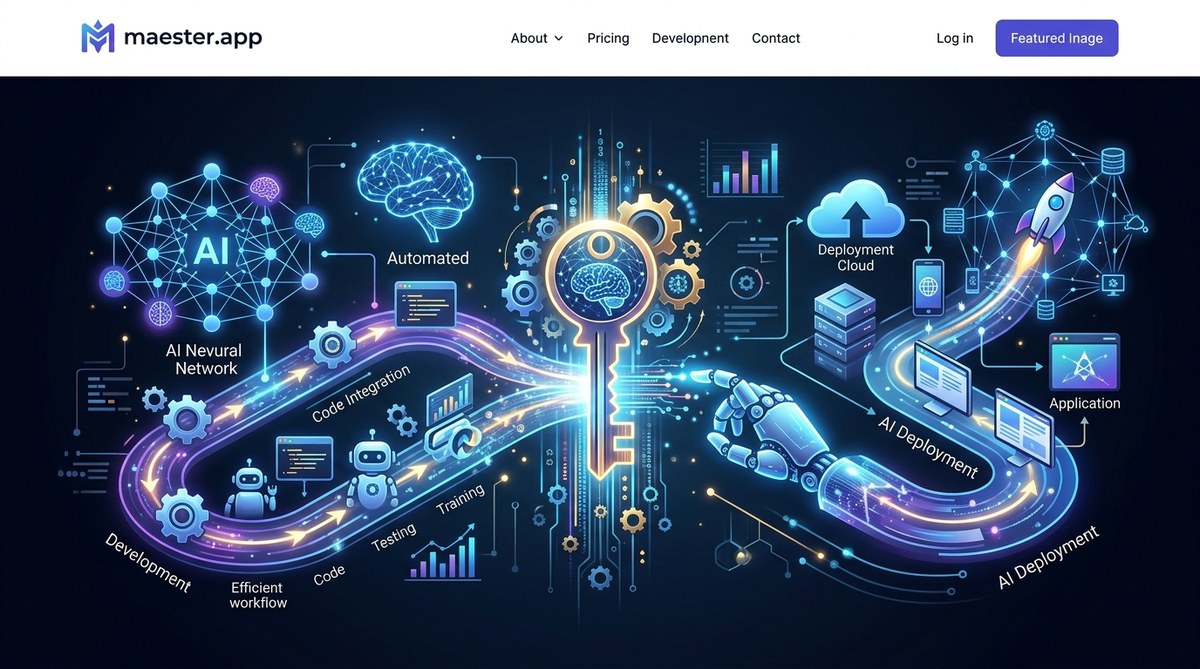
AI automation development and deployment are transforming how teams build, test, and launch artificial intelligence solutions. Gone are the days of manual coding and slow deployment cycles. Today, automation tools and techniques enable data scientists and AI developers to focus on innovation while streamlining repetitive tasks. Whether you’re deploying models at scale or integrating AI into existing systems, understanding automation’s role is key to staying competitive in the fast-moving AI landscape.
Automation accelerates AI development and deployment by reducing manual effort, minimizing errors, and enabling continuous integration. It empowers teams to deploy more reliable, scalable AI solutions faster, fostering innovation and operational efficiency.
The importance of automation in AI projects
Building AI models is a complex process involving data collection, cleaning, feature engineering, model training, testing, and deployment. Each step can be time-consuming and prone to human error. Automation helps address these challenges by providing repeatable, reliable workflows that ensure consistency. It also allows teams to push updates faster, adapt to changing requirements, and maintain high-quality standards.
By integrating automation into AI development cycles, organizations can:
- Cut down on manual coding and testing efforts
- Reduce deployment errors
- Enable continuous delivery of AI features
- Improve model accuracy through automated tuning
- Scale AI solutions across multiple environments effortlessly
How automation transforms AI development
Automation in AI involves a mix of tools, techniques, and best practices designed to streamline every phase of the lifecycle. Here’s how automation impacts each stage:
Data preparation and management
Data is the backbone of AI. Automating data ingestion, cleaning, and transformation ensures data quality and saves time. Automated pipelines can handle large volumes of data, detect anomalies, and prepare datasets for training without manual intervention.
Model training and tuning
Automated machine learning (AutoML) platforms can experiment with different algorithms, hyperparameters, and architectures. These tools identify optimal models faster than manual tuning, freeing data scientists to focus on strategic tasks.
Testing and validation
Automated testing frameworks validate model performance against various datasets. Continuous integration (CI) tools run tests automatically whenever code or data changes, catching issues early.
Deployment and monitoring
Automating deployment pipelines enables seamless rollout of models into production environments. Continuous deployment ensures updates are delivered rapidly. Automated monitoring alerts teams to drift or performance issues, allowing quick corrective actions.
Feedback loops and retraining
Automation facilitates ongoing learning by setting up feedback loops. Models can be retrained automatically when new data arrives, maintaining accuracy over time.
Practical steps to implement AI automation in your projects
Getting started with automation involves strategic planning and selecting the right tools. Here are actionable steps:
- Map your workflow
Identify repetitive tasks across your AI project pipeline. For example, data cleaning, feature extraction, hyperparameter tuning, or deployment.
- Choose the right automation tools
Select platforms that integrate well with your existing environment. Popular options include MLflow for model management, Azure Machine Learning for end-to-end automation, and Apache Airflow for orchestrating workflows.
- Automate data workflows
Implement pipelines that automatically ingest, clean, and prepare data. Use tools like Apache NiFi or Luigi for orchestrating complex data workflows.
- Integrate AutoML solutions
Leverage AutoML platforms to automate model selection and hyperparameter tuning. This reduces manual experimentation and accelerates model development.
- Set up continuous integration and deployment
Automate testing and deployment with tools like Jenkins, GitHub Actions, or GitLab CI/CD. Automate model validation, packaging, and deployment processes.
- Establish monitoring and retraining
Use monitoring solutions to track model performance in real-time. Automate retraining triggers when drift or performance degradation occurs.
Techniques and mistakes to avoid
| Techniques | Mistakes to Avoid |
|---|---|
| Automate end-to-end workflows | Relying solely on manual oversight for critical steps |
| Use AutoML for rapid prototyping | Over-automating without validation can lead to poor models |
| Implement continuous deployment pipelines | Forgetting to include safety checks or rollback options |
| Integrate monitoring early | Ignoring model drift or data quality issues after deployment |
| Leverage cloud automation platforms | Underestimating costs or security implications |
“Automation is not about replacing humans, but empowering them to focus on strategic, high-value tasks. The right balance of automation and oversight leads to more robust AI systems,” advises Dr. Emily Chen, an AI research scientist.
Best practices for successful AI automation
- Start small: Automate manageable parts of your workflow first. Use pilot projects to learn and adapt.
- Prioritize validation: Always validate models and pipelines at each automation stage.
- Maintain transparency: Document your automation processes for transparency and troubleshooting.
- Invest in skills: Train your team on automation tools and best practices.
- Monitor continuously: Keep an eye on model performance and system health post-deployment.
Why AI automation is a game changer
Automating parts of AI development and deployment is no longer optional; it’s a necessity for staying competitive. It reduces cycle times, improves reliability, and allows teams to focus on innovative tasks like model experimentation and strategy. As organizations scale AI solutions, automation becomes the backbone of efficient, scalable AI ecosystems.
By embracing automation, you unlock the ability to deliver smarter, more accurate AI solutions faster than ever before. It’s a step toward an agile, responsive AI lifecycle that adapts to your needs and the evolving data landscape.
Final thoughts on harnessing AI automation
Integrating automation into AI development and deployment processes is a practical way to boost efficiency and quality. By systematically automating repetitive tasks, you free up valuable time and resources. This shifts your focus toward more strategic initiatives like model innovation and customer impact. Remember, successful automation is about choosing the right tools, validating each step, and continuously monitoring your systems. Start small, learn as you go, and watch your AI projects accelerate in capability and scale.