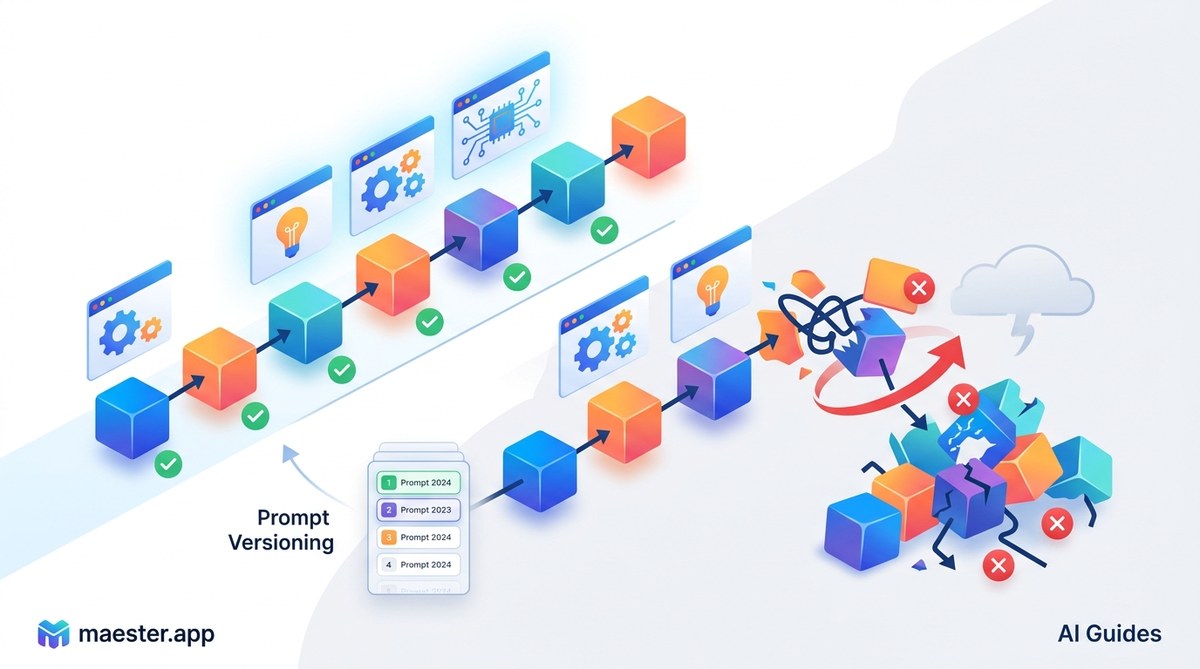
Your team just spent three weeks tuning a prompt for a customer-facing chatbot. The output was near perfect. Then someone on the team made a small edit, saved over the file, and nobody could remember what the original prompt looked like. The chatbot started giving vague answers. Your metrics dropped. And you had no way to roll back.
This scenario plays out every day in companies building with large language models. The root cause is almost always the same: no system for AI workflow prompt versioning. Without it, your prompts become a black box. You lose the ability to reproduce results, debug regressions, or collaborate with confidence. Let’s break down why this happens and how to fix it.
Prompt versioning is the missing layer between experimental AI projects and reliable production systems. Without it, teams waste hours debugging, lose reproducibility, and introduce risk with every edit. A structured versioning approach turns prompts into auditable assets that improve over time instead of degrading through un tracked changes.
The Real Cost of Untracked Prompts
When you treat prompts as disposable text files, you invite specific kinds of pain. These aren’t hypothetical. They show up in every team that scales AI workflows without versioning.
Reproducibility vanishes. You run an evaluation on Monday and get great scores. On Wednesday, you run the same test and the results are worse. Did the model change? Did the prompt change? Without versioning, you can’t tell. This uncertainty makes it impossible to trust your own benchmarks.
Debugging becomes guesswork. A user reports that the AI assistant gave a bad answer. You look at the prompt currently in production. It looks fine. But was that the prompt that generated the bad output? You have no way to check. The conversation is lost, and so is the context.
Collaboration turns chaotic. Two engineers working on the same prompt will eventually overwrite each other’s changes. Merge conflicts in a Word doc or a Slack thread are not a viable workflow. Teams end up with prompt drift, where the live prompt slowly morphs into something nobody fully understands.
Rollbacks are impossible. If a prompt change causes a regression, you need to revert to a known good state. Without versioning, you’re left rebuilding from memory or hoping an old email draft has the right text.
These are the symptoms of a deeper problem. Your prompts are code. They need the same treatment you give your application code.
What Prompt Versioning Actually Looks Like
Prompt versioning means tracking every change to a prompt over time, along with metadata about why the change was made and what it affected. It’s not just about saving copies. It’s about creating a history that you can query, compare, and revert.
A proper system includes:
- Unique identifiers for each prompt version
- Timestamps and authorship information
- Change descriptions that explain the rationale
- Associated test results or performance metrics
- Dependency tracking for external context like few-shot examples or system messages
This structure turns your prompts from static text into living artifacts. You can trace a prompt’s evolution from prototype to production. You can ask questions like “What changed between version 3 and version 4 that caused accuracy to drop by 5 percent?” and get a clear answer.
How to Implement Prompt Versioning in Your Workflow
You don’t need a complex platform to start. The principles are straightforward and can be layered into your existing tools.
-
Store prompts in a version control system. Git works well for text-based prompts. Each prompt file gets a commit with a message describing the change. This gives you a full history and the ability to branch, merge, and tag releases.
-
Link prompts to test cases. When you commit a new prompt version, include or reference the evaluation results that justify the change. This creates a chain of evidence. Future you will thank you when trying to understand why a particular edit was made.
-
Use a structured file format. Don’t store raw text. Use YAML or JSON to separate the system message, user message template, few-shot examples, and parameters. This makes diffs cleaner and allows automated tooling to parse your prompts.
-
Automate prompt testing on commit. Set up a CI pipeline that runs your prompt evaluation suite whenever a prompt changes. If accuracy drops below a threshold, the commit is flagged. This catches regressions before they reach production.
-
Tag production releases. When you deploy a new prompt version, tag it in your version control system. This gives you a clear record of what was live at any point in time. Rolling back becomes a single command.
-
Document the intent. Each prompt version should include a comment or metadata field explaining the goal of that version. “Improved handling of edge case X” is more useful than “fixed prompt.”
Common Mistakes Teams Make
Even teams that try to version prompts often fall into traps. Here are the most common ones and how to avoid them.
| Mistake | Why It Hurts | Better Approach |
|---|---|---|
| Storing prompts in a shared document | No history, no diffs, overwrites are permanent | Use Git or a dedicated prompt management tool |
| Only versioning the final prompt | Loses the evolution and reasoning | Version every iteration, even failed experiments |
| No link between prompt and test results | Can’t evaluate impact of changes | Store evaluation metrics alongside the prompt version |
| Using manual naming like “prompt_final_v3” | Ambiguous, no context | Use semantic versioning or commit hashes |
| Ignoring prompt dependencies | Changes to external data sources break prompts | Track dependencies in a manifest file |
Building a Culture of Prompt Accountability
Versioning is as much about process as it is about tools. Your team needs to treat prompts with the same discipline as application code.
Start by making prompt changes visible. Use pull requests for prompt modifications. Require a reviewer. This catches mistakes and spreads knowledge across the team.
Create a shared prompt library that everyone can access. How to Build a Prompt Library That Saves Hours Each Week covers this in detail. A library gives you a single source of truth and prevents engineers from working in isolation.
Document your prompt versioning conventions. Write down how you name files, what metadata you include, and how you handle rollbacks. New team members should be able to understand the system in minutes.
“Prompt versioning is not optional once you move past prototyping. It is the difference between an AI system you can trust and one that surprises you in production.” — Senior ML engineer at a mid-size SaaS company
When Versioning Saves the Day
Consider a real scenario. Your team manages a prompt that extracts structured data from customer emails. One day, the extraction starts failing on a specific field. With versioning, you can:
- Look up the prompt version that was live when the failure started
- Compare it to the previous version
- See that someone added a new instruction that conflicts with the field extraction
- Revert to the previous version in seconds
- Investigate the change in a separate branch
Without versioning, you would be guessing. You might spend hours testing different prompt variations, hoping to stumble on the fix. The cost of that lost time adds up fast.
The Future of Prompt Management
As AI workflows become more complex, prompt versioning will evolve. We are already seeing tools that integrate prompt management directly into development environments. These tools automate the tracking, testing, and deployment of prompts.
The trend is toward treating prompts as first-class artifacts in the software development lifecycle. This means:
- Prompt registries that store and serve prompts to applications
- Automated prompt optimization that tests hundreds of variations
- Integration with monitoring systems that alert on prompt drift
- Visual diff tools that show changes in prompt behavior
For now, the fundamentals are what matter. Start with Git and a clear naming convention. Add automated testing. Build the habit of documenting changes. These steps will save you from the most painful failures.
Start Versioning Your Prompts Today
Your AI workflows deserve the same rigor as the rest of your codebase. Prompt versioning is the foundation that makes reproducibility, debugging, and collaboration possible. It turns your prompts from fragile text into reliable components that you can iterate on with confidence.
Pick one prompt that your team uses in production. Set up a version control file for it. Write a test case that validates its output. Commit the first version with a clear message. Then make a small change and commit that too. See how easy it is to compare the two versions. Once you feel that relief, you will wonder how you ever worked without it.