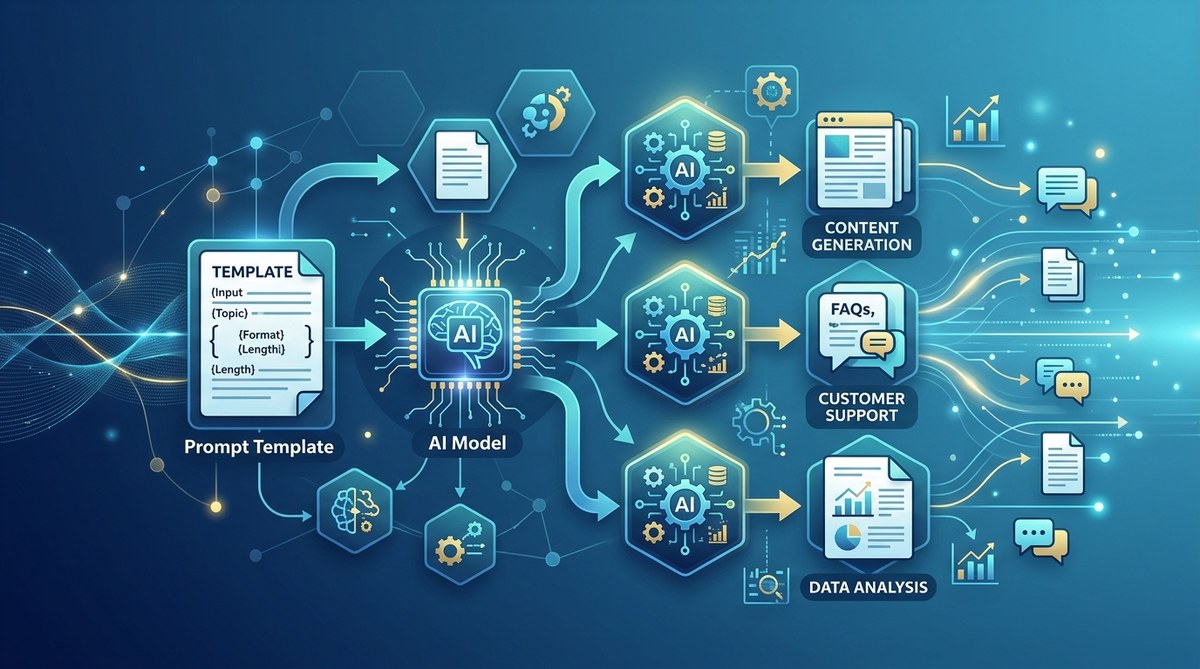
You type the same instructions into ChatGPT every day. “Summarize this email.” “Write a blog post about X.” “Draft a reply to this customer.” Each time you tweak the wording, and each time the result is slightly different. It works, but it does not scale. Once you have three or four recurring tasks, your desktop becomes a graveyard of text files, browser tabs, and half-remembered prompts. There is a better way.
Prompt templates are reusable, variable-driven blueprints that give you consistent AI outputs every time. They remove guesswork, speed up repetitive tasks, and let teams collaborate without rewriting instructions. This guide shows you how to design, test, and scale prompt templates for AI workflows so you spend less time prompting and more time shipping.
Why You Need Prompt Templates for AI Workflows
Ad hoc prompting works for one-off tasks. But when you ask an AI to perform the same job day after day, inconsistency creeps in. You forget the context you used last week. Your colleague phrases a request differently, and the output looks nothing like yours. The AI might produce a brilliant answer one time and a confusing mess the next.
Prompt templates solve this by locking in the structure, the role, the format, and the constraints. You treat the prompt like a form letter with blank fields. Fill in the blanks, hit send, and get reliable results. Over time, you build a library of these templates that your whole team can use.
If you are still curious about the fundamentals, you can read our guide on mastering prompt engineering for AI success. It covers the core techniques that make templates work.
The Anatomy of a Reusable Prompt Template
Every good prompt template has five parts. Think of it as a recipe:
- Role: Tell the AI who it is. “You are a senior software engineer.”
- Context: Give background that does not change. “Our app uses React and Node.js.”
- Task: Describe the action. “Explain this bug in simple terms.”
- Variables: Insert dynamic fields like
{bug_description}or{target_audience}. - Format: Specify exact output structure. “Start with a summary, then list three possible causes.”
When you combine these parts, you get a template like this:
Role: You are a senior software engineer at a SaaS company.
Context: Our team uses React, Node.js, and PostgreSQL.
Task: Analyze the following bug and propose a fix.
Bug: {bug_description}
Constraints: Focus on the frontend first.
Output format: One paragraph overview, then a numbered list of steps to reproduce.
Now anyone on the team can drop in a bug description and get a consistent analysis. No more “your prompt is too vague” meetings.
How to Build Your First Prompt Template in 4 Steps
Let’s walk through building a template for writing social media posts. This is a common task that scales well.
-
Identify the repetitive task. You write three LinkedIn posts per week for client updates. The format is always the same: a hook, a problem, a solution, a call to action.
-
Extract the fixed parts. The role stays the same (“You are a LinkedIn content strategist”). The tone stays professional but warm. The post structure stays.
-
Define your variables. These change each time:
{topic},{client_name},{key_insight},{cta_text}. -
Write the template. Combine everything into a single block. Then test it with real variables. Tweak until the output matches your brand voice.
Here is what the template looks like:
You are a LinkedIn content strategist for {client_name}.
Write a LinkedIn post about {topic}.
The post should include a hook, a problem, the key insight ({key_insight}), and a call to action ({cta_text}).
Keep it under 150 words. Use a professional but conversational tone. Add two relevant hashtags at the end.
That is it. You now have a prompt template for AI workflows that can generate posts in under ten seconds. For more advanced examples, check out how to leverage prompt engineering for maximum AI efficiency.
Common Prompt Template Techniques and Mistakes
Not all templates are created equal. The table below shows which techniques help and which pitfalls hurt your results.
| Technique | What It Does | Common Mistake |
|---|---|---|
| Role assignment | Gives the AI a persona | Forgetting to define the persona in every template; the AI may drift |
| Few-shot examples | Adds one or two example inputs and outputs | Using examples that are too long or irrelevant to the task |
| Output formatting | Specifies markdown, JSON, or bullet points | Making the format too complex; the AI may ignore parts |
| Variable placeholders | Uses {variable} for dynamic content |
Using ambiguous variable names like {input} instead of {customer_query} |
| Constraint boundaries | Limits word count, tone, or forbidden topics | Setting too many constraints; the output becomes robotic |
| Iterative refinement | Running the template multiple times with tweaks | Never locking a final version; everyone uses a slightly different variant |
As you can see, the line between helpful and harmful is thin. For a deeper look at what can go wrong, read our article on 5 prompt engineering mistakes that are killing your GPT results.
Best Practices for Scaling Templates Across a Team
Once you have one template working, you need to share it. Here are the practices that keep a template library useful:
- Store templates in a central place. A shared Notion page, a GitHub repo, or a dedicated tool like Maester. Do not keep them in individual chat histories.
- Version your templates. Add a version number in the file name or metadata. When you improve a template, bump the version so everyone knows what is current.
- Include a usage note. Write a one-sentence description of when to use the template and when not to. Example: “Use this for weekly client emails, not for internal memos.”
- Test with real data. Ask a colleague to run a template without your help. If they get confused, the template needs rewriting.
- Collect feedback. After a month, review outputs. Are they still accurate? Do any variables need to change? Templates are living documents.
If your team is building custom AI agents, you might also want to read how to build custom AI agents for your business in 2026. Agents often rely on prompt templates under the hood.
Advanced: Using Templates with Multi-Step Workflows
A single template is great, but many AI workflows need multiple steps. For example, your workflow might be: generate a blog outline, write the first draft, rewrite it for SEO, and then create a social media snippet. Each step is a separate template that passes data to the next.
You can chain templates by defining output formats that the next template can parse. A common approach is to ask the first template to output a numbered list, then feed that list into the second template as a variable. This creates a pipeline that runs with very little human oversight.
For inspiration, look at innovative prompt strategies to accelerate AI development. Many of those strategies rely on chaining templates together.
The Role of Testing and Iteration
Even the best template needs tuning. AI models update, your use cases shift, and performance can degrade over time. Plan to review each template every quarter. Run the same test input through the template and check if the output still meets your standards.
When you notice a drop in quality, ask these questions:
– Is the role still correct?
– Have any new constraints emerged?
– Does the output format still make sense for your downstream tools?
A small tweak to one variable can restore consistency. Do not be afraid to edit.
“A prompt template is not a document. It is a process. You refine it as you learn what works and what does not.”
— Practical advice from the Maester team
Building Your Own Template Library
Start small. Pick the one task you repeat most often with an AI. Write a template for it. Use it for a week. Refine it based on the outputs. Then move to the second task.
Over time, you will have a library of 10 or 20 prompt templates for AI workflows. That library becomes your team’s standard operating procedure. New hires can get up to speed in minutes. Freelancers and contractors deliver work that fits your voice without extensive briefings. And your own daily prompting work shrinks from fifteen minutes to fifteen seconds.
If you want to see more examples of how templates drive consistency across industries, take a look at top AI use cases transforming industries in 2026. Many of those use cases depend on well engineered prompt templates.
When Templates Are Not Enough
Templates are powerful, but they are not magic. They cannot fix a poorly defined task or make up for missing context. If your template gives bad results, double check that the variables are filled correctly and that the role really matches the job. Sometimes the issue is not the template but the underlying expectation.
Also, be aware that overly long templates can push you close to the model’s context window limit. Keep the fixed parts concise. Use variables to inject only the essential dynamic content. For edge cases, you might need to split a long task into two templates.
For more on optimizing your prompts, see 5 ways to optimize your GPT prompts for higher accuracy.
Make One Template Today
You do not need a grand strategy. You need one template that saves you five minutes a day. That is half an hour a week, or a full day of work saved every two months.
Open your AI tool. Pick your most boring recurring task. Write a template with variables, a clear role, and an output format. Use it once. Tweak it. Then use it again. That is the start of scaling your AI workflows the right way.
After that, build the next one. Your future self will thank you.