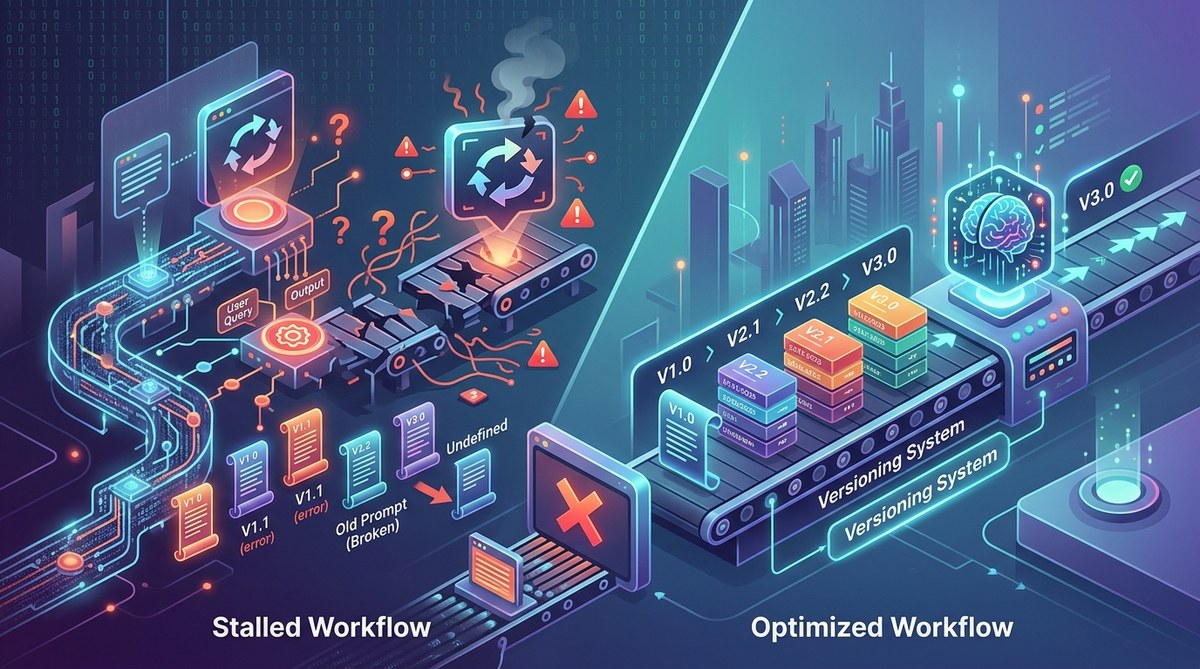
You have spent weeks fine-tuning a prompt. It handles customer intent classification with near-perfect accuracy. Then a teammate tweaks one line to test a new idea, forgets to save the original, and suddenly your accuracy drops by 15%. No one knows why. The old prompt is gone. The new one is broken. Everyone blames the model.
This scenario plays out daily in AI teams that skip version control for prompts. Code gets Git. Data gets DVC. But prompts, the fragile strings that steer your LLM, often live in shared documents, Slack threads, or a single developer’s local history. That approach breaks down the moment you need to reproduce a result, roll back a change, or onboard a new engineer. A proper prompt versioning system fixes all of that.
A prompt versioning system is the missing link between prototype and production for LLM applications. It guarantees reproducibility, enables safe experimentation, and prevents the costly errors that come from manual prompt management. Without it, your team wastes hours debugging what changed, when, and why. This article explains the core components of such a system, how to set one up, and the metrics that prove its value.
What Makes Prompts Different From Code
Code is deterministic. The same input always produces the same output. Prompts are probabilistic. A single word change can shift an LLM’s behavior in ways that are hard to predict. This makes versioning for prompts more than a nice to have. It is a necessity.
Consider a customer support bot. Your team iterates on a prompt that extracts order numbers from chat messages. One engineer adds the phrase “only return the order number” to reduce noise. Another engineer removes it later because they think the model is too strict. Without a versioning system, you cannot tell which version caused a 10% drop in recall. You only know that something changed.
A prompt versioning system records every mutation. It stores the prompt text, the model parameters (temperature, top_p, max_tokens), and the date of change. This turns debugging from guesswork into an audit trail.
The Real Cost of Not Versioning Prompts
Teams that skip prompt versioning pay in three currencies: time, trust, and quality.
- Time wasted on rework. Engineers rewrite prompts they cannot find. They re-test scenarios that already passed. They hold meetings to ask “does anyone remember what we used last month?”
- Trust erodes in the output. When stakeholders see inconsistent results, they question the entire pipeline. A product manager might blame the model, but the real culprit is an unversioned prompt that drifted between runs.
- Quality suffers silently. Small, unrecorded changes accumulate. Over weeks, the prompt drifts from its original intent. The system still works, but it works worse. No one notices until a metric dips below a threshold.
A prompt versioning system acts as a single source of truth. It restores trust because every output can be traced back to a specific prompt version.
Core Components of a Prompt Versioning System
A robust system is more than a folder full of text files. It needs structure. Here are the essential pieces.
1. A Unique Identifier for Every Prompt Version
Each version gets a hash or a semantic version number (v1.2.3). The identifier links to the full prompt, its parameters, and the model it targets. This makes rollbacks trivial. You can say “revert to v1.2.3” and know exactly what that means.
2. Metadata That Captures Context
Store more than the prompt text. Include:
- Author and timestamp
- Model name and version (GPT-4o, Claude 3.5 Sonnet, etc.)
- Parameter settings (temperature, frequency penalty, etc.)
- A changelog note explaining why the edit was made
This metadata transforms a flat prompt into a living document. It tells the story of how the prompt evolved.
3. A Test Suite Tied to Each Version
A version is only useful if you know whether it works. Attach a set of test cases to each prompt version. These tests should cover edge cases, expected outputs, and failure modes. When a new version is created, run the tests automatically. If accuracy drops below a threshold, flag the change.
4. A Rollback Mechanism
Sometimes a new version performs worse. The system must allow instant rollback to a previous version. This should not require a code deploy. It should be a configuration change or an API call.
How to Set Up a Prompt Versioning System in 2026
You do not need a custom platform. Many teams start with a combination of tools they already use. Here is a practical process.
-
Choose a storage backend. Use a Git repository for prompt files, or a database with a versioning layer. For most teams, Git works well because it integrates with existing code review workflows.
-
Define a file format. Store each prompt as a YAML or JSON file. Include the prompt text, parameters, and metadata in the same file. Name the file with a descriptive slug and the version number.
-
Create a changelog convention. Require every prompt change to include a one line summary of why the change was made. This prevents the “who changed this and why” mystery.
-
Automate testing. Use a CI pipeline that runs your test suite against every new prompt version. Fail the pipeline if the new version does not meet your quality bar.
-
Tag production versions. When a prompt version is deployed to production, tag it in your system. This makes it easy to see which version is live and which versions are in testing.
Common Mistakes When Adopting Prompt Versioning
Even with good intentions, teams make errors. Here is a table of frequent pitfalls and how to avoid them.
| Mistake | Why It Hurts | How to Fix |
|---|---|---|
| Storing prompts in a shared document | No audit trail, easy to overwrite | Move prompts to a Git repository with pull request reviews |
| Only versioning the final prompt | Loses intermediate experiments | Commit every meaningful change, even failed ones |
| Forgetting to version model parameters | Same prompt, different model, different output | Include parameters in the prompt file metadata |
| Skipping test cases for old versions | Cannot verify a rollback | Write tests before you need them, not after |
| No changelog for prompt changes | Future you will not know why a change was made | Enforce a changelog field in your file format |
Measuring the Impact of Prompt Versioning
How do you know the system is working? Track these three metrics.
- Time to resolve a production issue. Before versioning, debugging a prompt regression could take hours. After, it should take minutes. Measure the average time from bug report to root cause identification.
- Number of prompt rollbacks per month. A high rollback count might indicate poor testing, but it also shows that the system is being used. Track the trend over time.
- Onboarding time for new engineers. A new hire should be able to read the prompt changelog and understand the history. If they can, your system is working.
“The best prompt versioning system is the one your team actually uses. Start simple. A folder of timestamped JSON files beats a perfect system that nobody adopts.” — Engineering lead at a mid stage AI startup
Why a Prompt Versioning System Unlocks Team Velocity
When every prompt change is tracked, tested, and reversible, your team moves faster. Engineers experiment more because they know they can roll back. Product managers trust the release process because they can see what changed. Onboarding becomes a reading exercise instead of a tribal knowledge transfer.
This is especially important as your application scales. A single prompt might serve thousands of users. A small regression can have a large impact. A prompt versioning system catches those regressions before they reach production.
For a deeper look at how prompt quality interacts with model size, read why prompt quality matters more than model size in 2026. If you are building a prompt library from scratch, the guide on how to build a prompt library that saves hours each week complements versioning nicely.
Making Prompt Versioning a Team Habit
The hardest part is not the tooling. It is the habit. Engineers are used to versioning code. They are not used to versioning prompts. Here are three ways to make the habit stick.
- Make it part of the definition of done. No prompt change is complete until it is committed with a changelog and passes the test suite.
- Celebrate rollbacks. When someone catches a bad prompt change before it hits production, acknowledge it. This reinforces the behavior.
- Review prompts in code review. Treat prompt changes as seriously as code changes. Require a second set of eyes before merging.
Why Your Team Needs This Now
Every week without a prompt versioning system is a week of hidden risk. You are one accidental edit away from a broken workflow. You are one team member’s vacation away from a knowledge gap. You are one model update away from a mystery regression.
The fix is straightforward. Start with a Git repo. Add a YAML file for each prompt. Write a few test cases. Enforce a changelog. That is enough to eliminate the most common failure modes.
From there, you can add automation, integrate with your CI pipeline, and build dashboards. But the first step is the most important. Stop treating prompts like disposable strings. Treat them like the production assets they are.
Your Next Step Toward Reliable AI Workflows
A prompt versioning system does not just save time. It builds confidence. Confidence that your AI application will behave the same way tomorrow as it does today. Confidence that your team can experiment without breaking things. Confidence that you can trace any output back to its source.
If you are ready to go deeper, check out the prompt testing workflows that scale from prototyping to production for a practical framework that pairs well with versioning. The combination of versioning and testing creates a safety net that lets your team move fast without breaking things.
Start today. Pick one prompt. Version it. Write a test. See how much easier the next change feels. Then do it for the next one. Before long, you will wonder how your team ever worked without it.